On this page
TL;DR
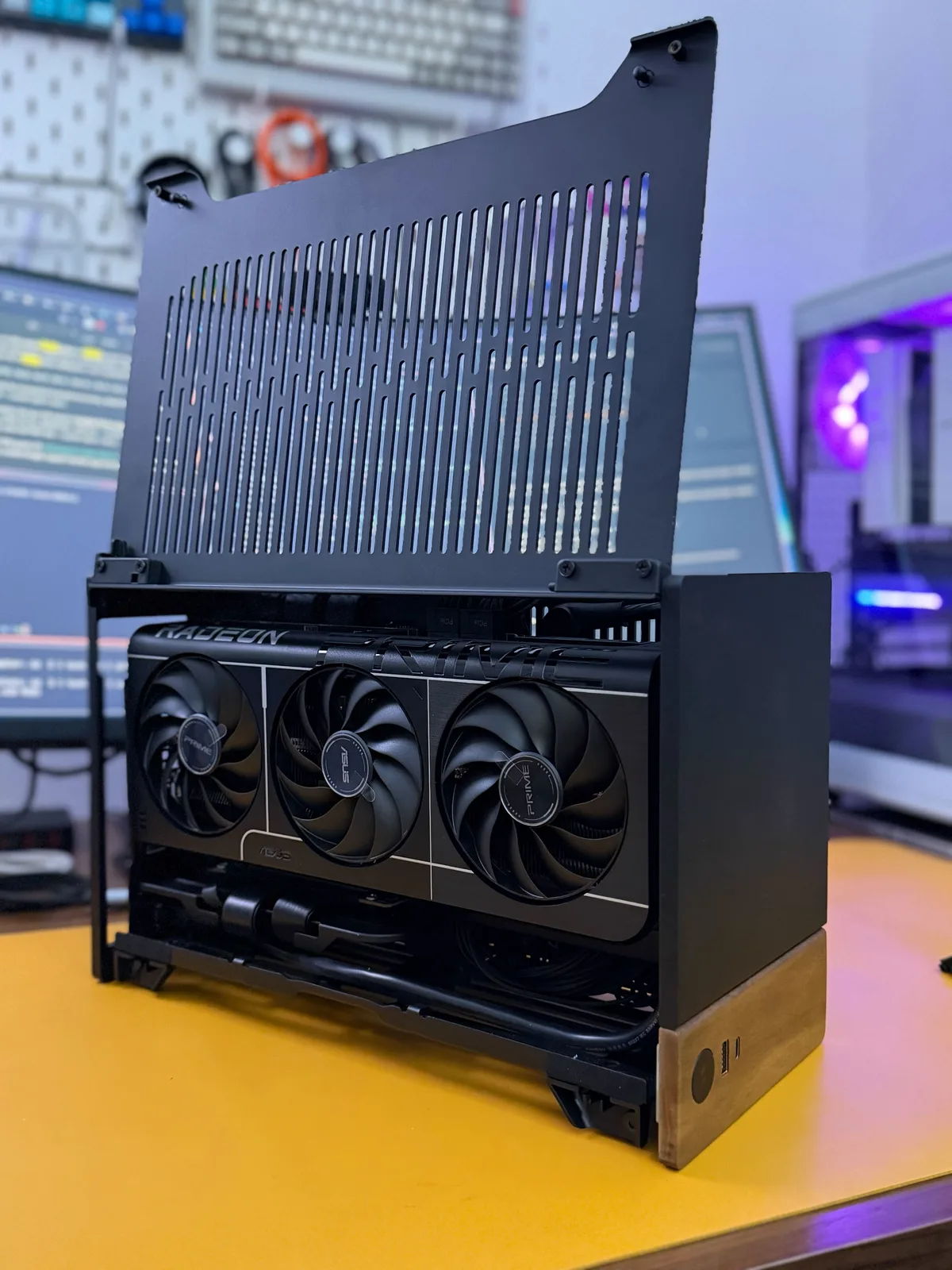
I already have a Linux workstation for work, this is something else: a small, silent Mini-ITX machine that lives under the TV, boots straight into Steam and behaves like a console. No desktop, no terminal, just a controller and a couch. I started on Bazzite and ended up on CachyOS, because I prefer the Arch ecosystem and the extra performance you can squeeze out of it.
Introduction
I am not really a gamer. I don’t play competitively, I don’t follow release schedules, and I spend more time poking at FSR4 or checking how a new title runs under Proton than actually finishing anything (yes, I know how that sounds). What got me into this was plain curiosity: I wanted to see for myself how far gaming on Linux had come, and what Valve and the community had managed to pull off.
The idea came from the same place as the workstation: I wanted to build something, not buy something. A pre-built console felt limiting, and a full PC in the living room felt like too much friction. SteamOS sits right in the middle. You grab the controller, the machine boots into Big Picture, and that is it, except the hardware is yours and you can swap any part of it.
So the goal was simple: a small, quiet machine for the living room, but with a proper GPU inside.
Gaming on Linux, finally
I still remember when gaming on Linux was close to a lost cause. A handful of native ports if you were lucky, a lot of manual tinkering, and the usual advice to just keep a Windows partition around for the games that mattered. Loki Software tried to build an actual business porting games to Linux in the early 2000s and went bankrupt. Even Valve’s own Steam Machines, back in 2015, went nowhere. For years, games were the one thing that kept pulling me back to Windows.
What changed everything is Proton. Valve released it in 2018 as part of Steam Play, and the Steam Deck in 2022 turned it from a niche tool into the way millions of people play every day. Now you open Steam, click install, click play, and most Windows games just run. No tinkering, no dual boot.
So what is actually happening under the hood? Proton is built on Wine, and the name is the first clue: Wine Is Not an Emulator. It does not emulate a PC or a CPU, your game runs as the exact same x86 machine code it would on Windows. What Wine does is translate, on the fly, the thousands of requests a game makes to the operating system (for drawing, files, audio, input, and so on) into their Linux equivalents. No slow instruction-by-instruction emulation, just a translation layer sitting between the game and the kernel.
Graphics are the other half of the magic. Windows games speak DirectX, and Linux does not. So Proton ships DXVK and VKD3D-Proton, which translate DirectX 9 through 12 into Vulkan in real time. Vulkan then runs on the native AMD driver in Mesa, which is exactly why a GPU with solid open source Vulkan drivers, like my RX 9070, matters so much here. The overhead is surprisingly small, and in plenty of titles a game runs as fast as it does on Windows, sometimes a little faster.
And it keeps improving. Wine 11 shipped NTSYNC, a proper in-kernel replacement (merged into Linux 6.14) for the old esync and fsync hacks that games leaned on to coordinate their threads. The payoff is smoother frame pacing and fewer of the micro-stutters that used to give Linux gaming away. The same release also wrapped up the WoW64 work, so 32-bit games now run on a 64-bit system without dragging in a pile of 32-bit libraries.
None of this was true ten years ago. Installing Steam on Linux, signing in, and finding the same games you can play on Windows or a Steam Deck, running almost flawlessly here too, still feels a little unreal. Better still, some titles actually run faster on Linux than on Windows, in a few cases by a wide margin, which not long ago would have sounded like a bad joke.
A word on prices in 2026
Before the parts list, one thing: building a PC right now is painful, and not for technical reasons. It is the prices.
The AI boom is swallowing most of the world’s memory and storage production, and the resulting DRAM shortage has dragged RAM and NVMe prices to absurd levels. A 64GB DDR5 kit now costs more than a whole PS5 (Tom’s Hardware), and the forecast for the rest of 2026 is more of the same.
Here is what I paid for DDR5 just over two years ago:

And here is the exact same kit today:
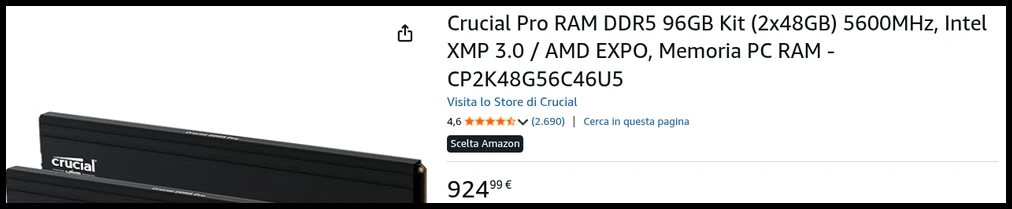
Those numbers already feel like a different era. It is also why reusing the RAM and NVMe I already had mattered so much for this build, otherwise the bill would have been a lot harder to swallow.
Requirements
- Mini-ITX: it has to fit in the living room without looking like a PC tower.
- Silent: living room standards, not office standards.
- Console UX: boots into Steam, controller works out of the box, no desktop in the way.
- AMD GPU: open source drivers, ROCm, and the same hardware Valve ships in the Steam Deck, which makes it the best-supported choice on Linux.
- Reasonable budget: this is a secondary machine, not the main rig.
Hardware
| Component | Model | Amazon US | Amazon IT |
|---|---|---|---|
| Case | Fractal Design Terra Graphite/Walnut | amazon.com | amazon.it |
| Motherboard | ASUS ROG STRIX B650E-I GAMING WIFI Mini-ITX | amazon.com | amazon.it |
| CPU | AMD Ryzen 7 7700 | amazon.com | amazon.it |
| Cooler | Thermalright AXP90-X47 Full Low Profile | amazon.com | amazon.it |
| Thermal paste | ARCTIC MX-6 | amazon.com | amazon.it |
| RAM | Kingston FURY Beast DDR5 32GB (2x16GB) 6000MT/s | amazon.com | amazon.it |
| NVMe | Samsung 980 Pro 1TB (PCIe 4.0) | amazon.com | amazon.it |
| NVMe | Samsung 9100 PRO 1TB (PCIe 5.0) | amazon.com | amazon.it |
| Power Supply | Corsair SF850 SFX | amazon.com | amazon.it |
| GPU | ASUS Prime Radeon RX 9070 OC | amazon.com | amazon.it |
Motherboard
On Mini-ITX with AM5 the options are few, so the shortlist is short. The ASUS ROG STRIX B650E-I is one of the only boards that gives you a PCIe 5.0 GPU slot in this form factor, plus WiFi 6E and a VRM that holds up despite the size. It is a gaming board, which suits this machine fine.
CPU
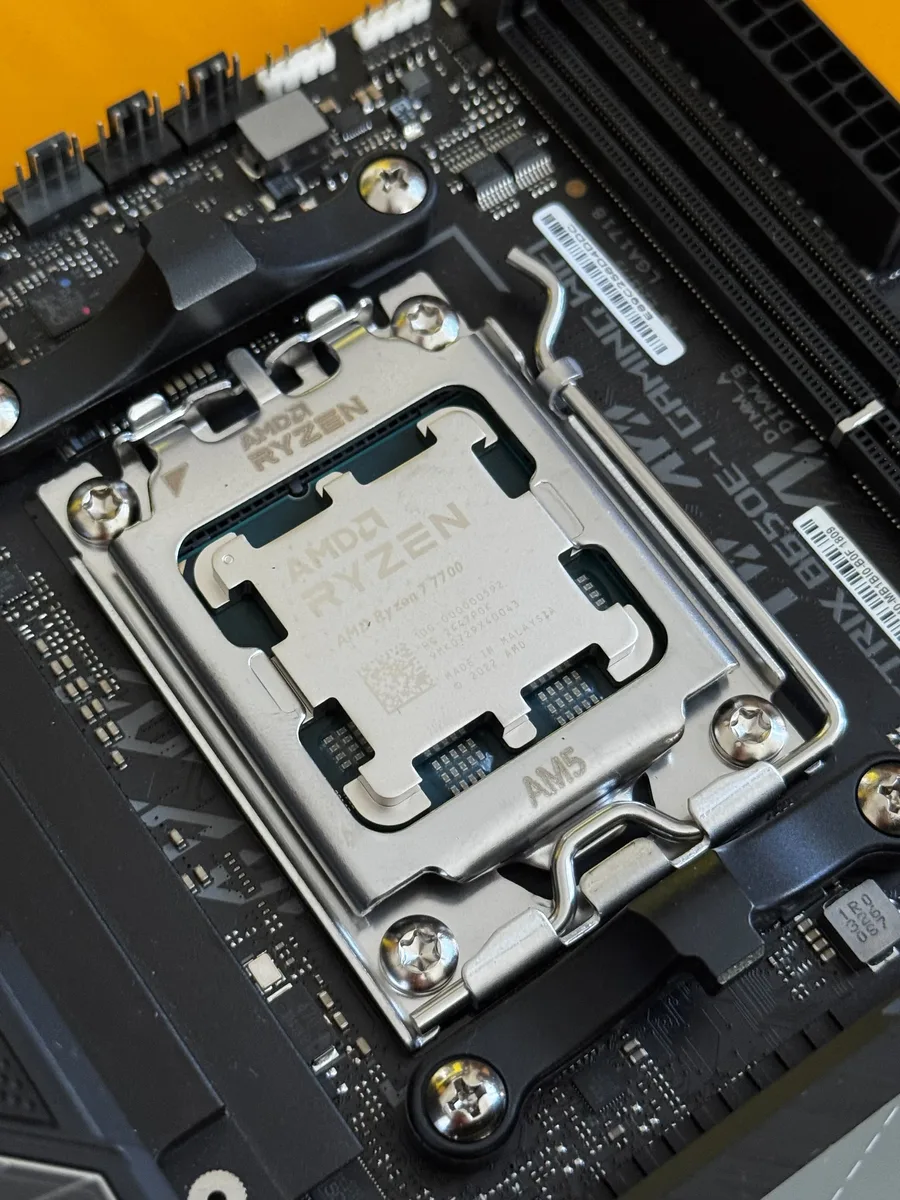
The Ryzen 7 7700 is the non-X variant: 8 cores, 65W TDP, AM5 socket. I bought it on AliExpress for around €150 (the Amazon links are in the table above, but AliExpress is where the price is on this chip). The low TDP makes it easy to cool in a tiny case, performance-per-watt is great, and for gaming the CPU is rarely the bottleneck anyway. No reason to chase a 7700X or a 9800X3D for a living room box.
Cooler
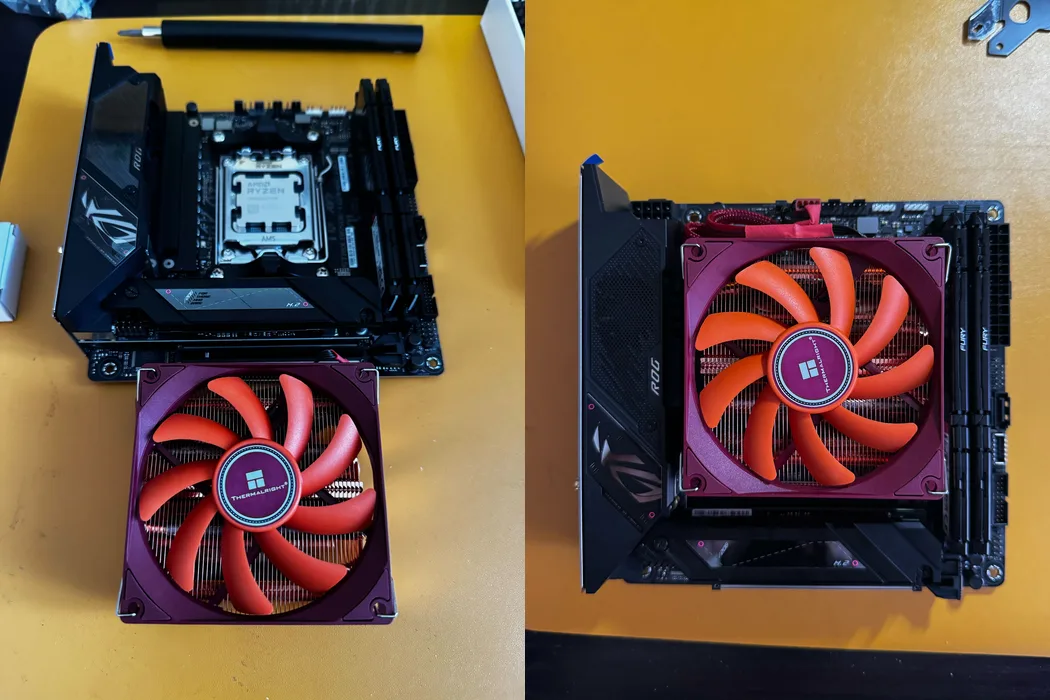
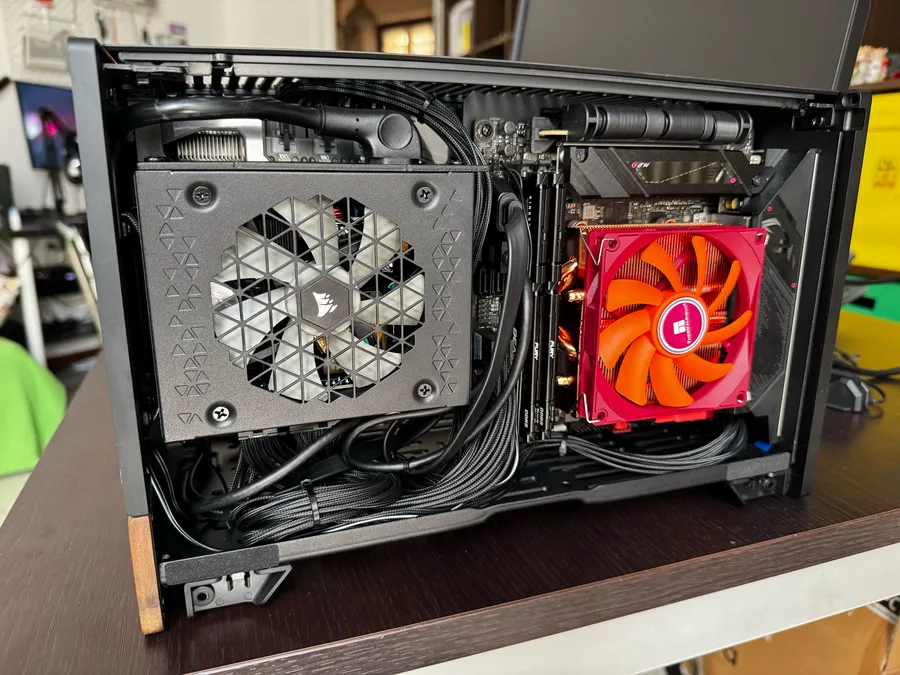
The Thermalright AXP90-X47 is a flat, low-profile cooler: 47mm tall, a single 92mm fan, copper heatpipes. In the Terra it fits with millimeters to spare. It is not the quietest cooler around, but on a 65W CPU it stays cool even with the limited airflow in this case.
The red fan is a bit loud for my taste, but once the case is closed nobody sees it (and I am not building this one with a glass panel).
Power Supply
Mini-ITX means SFX, so I went with the Corsair SF850, 850W and fully modular. It is overkill on paper, but the RX 9070 can spike hard under load and I would rather have the headroom. Being fully modular also helps a lot when you are fighting for every millimeter of cable space inside the Terra.
RAM and NVMe
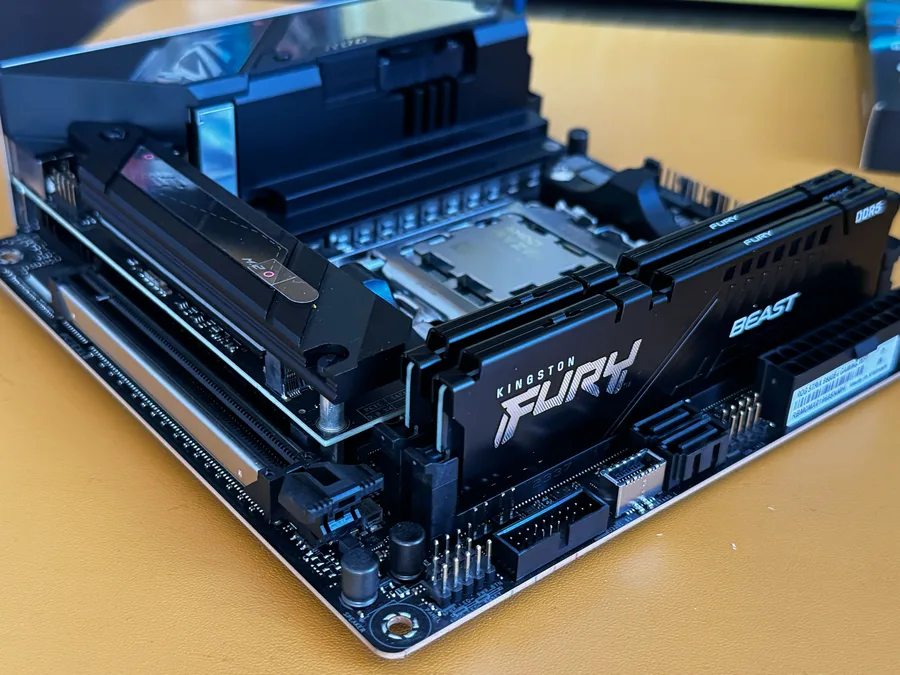
The RAM came straight from a previous Mini-ITX build I had taken apart: 32GB of Kingston FURY Beast DDR5 at 6000MT/s. Good timing, because DDR5 has gone crazy lately and finding a 2x16GB kit at a sane price today is harder than it should be. Having these sticks already in a drawer saved a decent chunk of the budget.
The board has two NVMe slots and I am using both. The Samsung 980 Pro 1TB (PCIe 4.0) also came from the old build. The second slot now holds a Samsung 9100 PRO 1TB, my first PCIe 5.0 drive, which I bought because I caught a good Amazon deal. NVMe has spiked too, especially on Gen 5 drives, so those deals don’t come around often.
GPU
The ASUS Prime Radeon RX 9070 OC is an RDNA4 card with good price-to-performance at 1080p and 1440p, which is where I play. The deciding factor was Linux: the open source drivers and FSR4 work without fuss, and ROCm opens the door to more than gaming. I have actually started running local LLMs on this card with llama.cpp ROCm builds, poking at both the ROCm and Vulkan backends, but that is a story for another post.
The one catch is the size. It is a big card for a case this small. In the Terra it sits in its own GPU compartment and barely clears the panels, so check the clearances before you buy.
Case
I left the case for last, like in the workstation post, and for the same reason: the case is why this build happened at all.
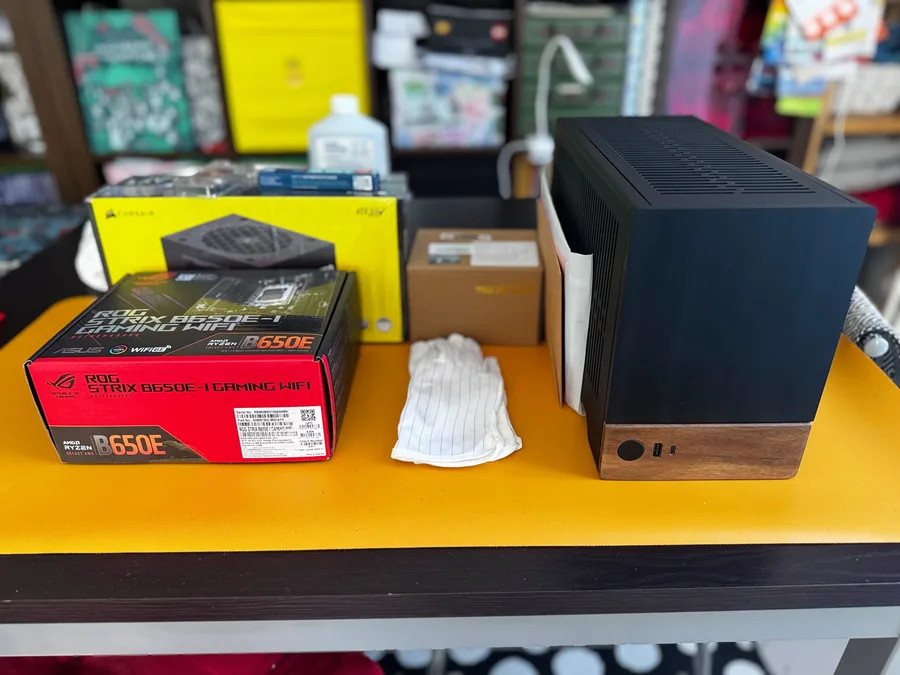
The Fractal Terra is a Mini-ITX case with an aluminum body and a real wood front panel. It is tiny, about the size of a shoebox, and it looks like furniture rather than a computer. That is the point for something living in plain sight next to the TV.
Building inside it is a puzzle, I won’t lie. There are two separate compartments, one for the PSU and one for the motherboard and GPU, and everything is tight. You need a low-profile cooler, an SFX supply, and some patience with the cables. The result is clean though, and it looks great on a shelf.
Software
This is the part I changed my mind about.
Bazzite
The first OS I installed was Bazzite, an immutable, image-based distribution built on Fedora and aimed at gaming and SteamOS-style setups. It works well out of the box: install it, boot, and you are already in Steam Big Picture with controller support, no fiddling.
I ran it happily for a while. What didn’t click for me is that it is Fedora-based, which is not the ecosystem I know, and the immutable image, solid as it is, makes it harder to get under the hood and change things the way I like.
CachyOS
So I switched to CachyOS Handheld, and that is what runs the machine today.
CachyOS is an Arch-based distribution focused on performance. The Handheld edition recreates the SteamOS experience on non-Steam-Deck hardware: it boots into Steam Big Picture, uses Gamescope as the compositor, and ships the gaming integrations you expect, all on top of a plain Arch base I can actually mess with.
What makes it more than “Arch with a gaming skin” is what runs underneath:
- linux-cachyos kernel: the BORE (Burst-Oriented Response Enhancer) scheduler plus a set of latency patches, which gives more consistent frametimes than a vanilla kernel.
- proton-cachyos: a custom build on top of Valve’s Proton, tuned for the CachyOS kernel and AMD hardware, with better compatibility and performance on some titles than stock Proton-GE.
- x86-64-v3 / v4 packages: compiled for modern CPU instruction sets instead of the usual lowest-common-denominator baseline.
That last point is worth a short detour, because it is the bit most people skip over. Not all x86 CPUs are equal: the x86-64 psABI defines feature levels on top of the original 64-bit baseline. v2 covers the SSE3/SSE4 era, v3 adds AVX, AVX2, BMI and FMA (Intel Haswell and AMD’s first-generation Zen onward), and v4 adds the AVX-512 family. The problem is that almost every distribution still compiles for plain x86-64 so the binaries run literally anywhere, which means a modern chip leaves performance sitting on the table.
CachyOS ships optimized repositories built for v3 and v4, and the installer picks the right one for your CPU automatically. My Ryzen 7 7700 is Zen4, so it has AVX-512 and can run the v4 repository. The gains are not dramatic, Phoronix benchmarked them in detail, but it is free performance on hardware I already paid for. The rest of the ecosystem is slowly moving the same way: Fedora has proposed raising its baseline to x86-64-v3.
Now, I actually think immutable distros like Bazzite are probably the better fit for a console. An image-based system is basically firmware: fewer moving parts, a read-only base that boots the same every time, and if an update breaks something you roll back to the previous image instead of debugging it at midnight. For a machine that should sit under the TV and just work, it makes complete sense.
I went with CachyOS anyway, because I am an Arch guy (btw). I was already comfy on my setup and had been wanting to try CachyOS for a while, so this build was the perfect excuse. I like to open everything up, get under the hood, squeeze out a bit more performance and know exactly what is running. I lose a bit of that console simplicity, but I get a system I know inside out, and I am fine with that.
Conclusion
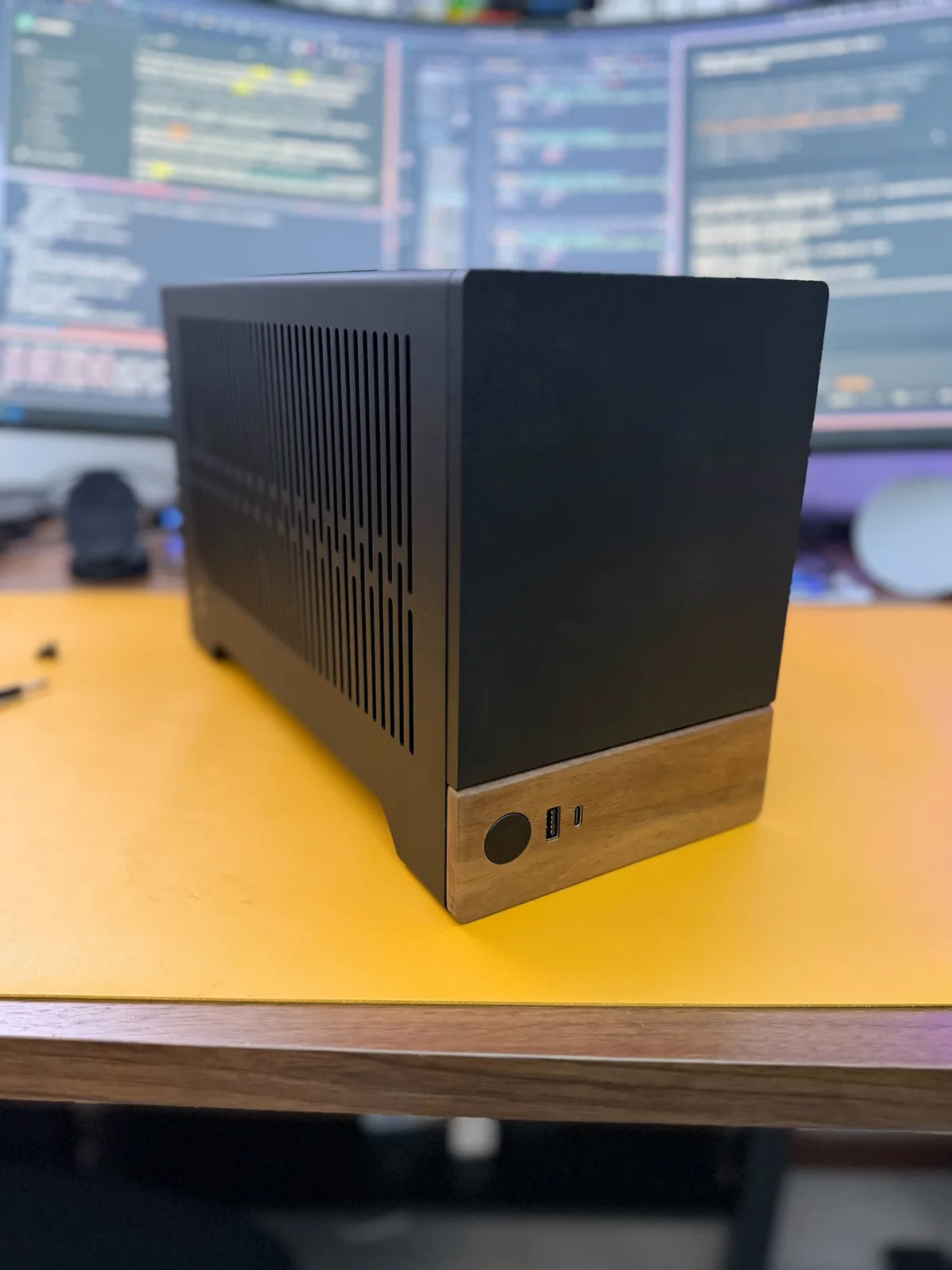
The result is what I was after: a small, quiet box under the TV that boots into Steam, talks to a controller, and otherwise leaves me alone. I don’t need the fastest hardware in every slot, I want a platform that is open and fun to tinker with, and this little Terra is exactly that.
If you have questions or just want to talk about components, just drop me a message here